

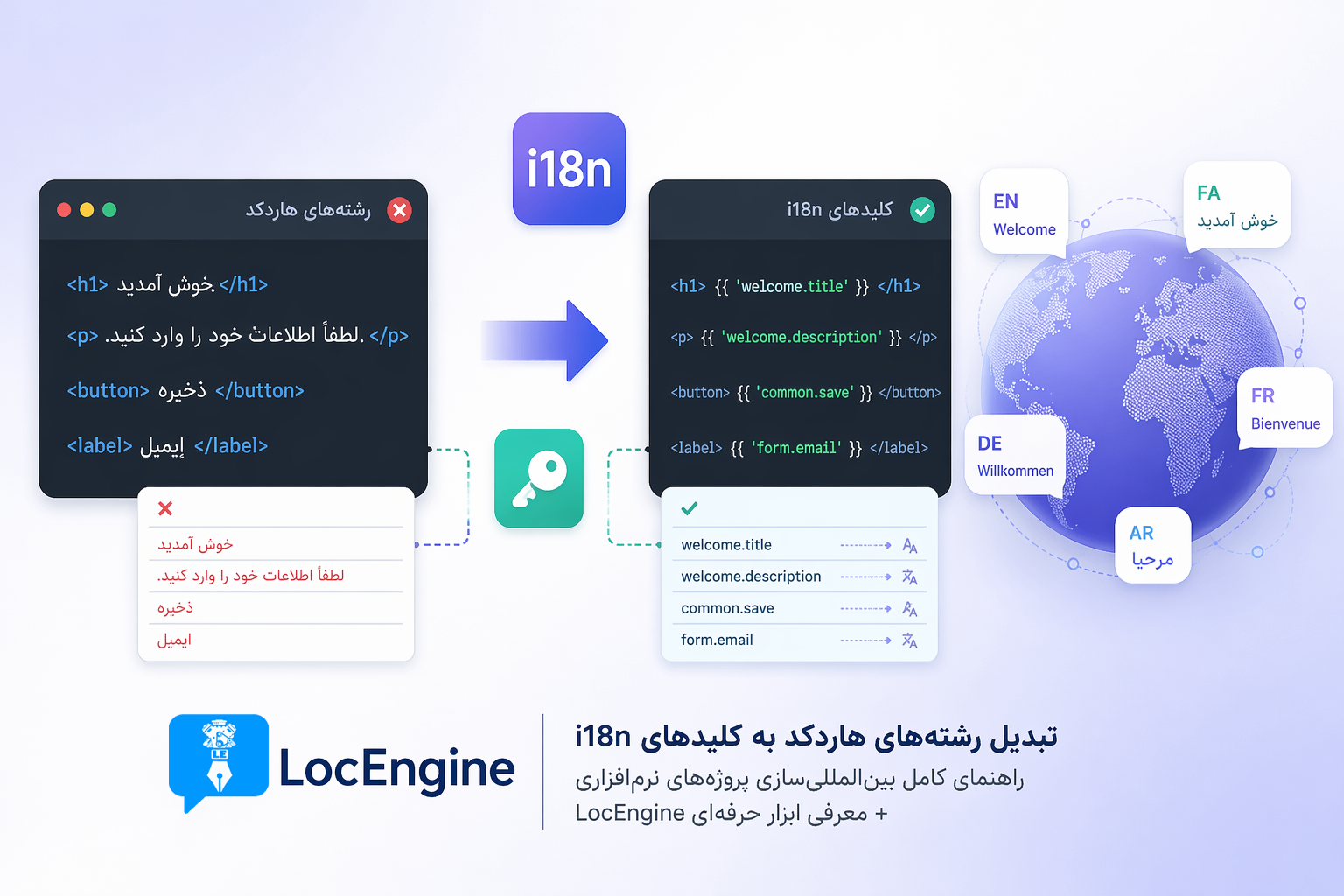

Complete guide to software internationalization + Introducing LocEngine professional tool
📌 What's the problem?
Many developers start projects by writing all text as hardcoded strings directly in the code. For example:
<h1>Welcome to our store</h1>
<button>Buy Now</button>
This approach works fine for small projects. But when you want to internationalize your product and release it in multiple languages... the nightmare begins! 😱
What's the solution? Convert hardcoded strings to i18n keys (Internationalization). Instead of direct text, use keys:
<h1>{t('welcome_message')}</h1>
<button>{t('buy_now')}</button>
With separate translation files. Let's explore the available methods for this conversion.
The simplest approach: developers manually open each file, find translatable strings, and replace them with i18n keys.
📌 Best for: Small projects (up to 10 files)
Professional developers use Regex and custom scripts (Python, Bash, Node.js) to semi-automate the search and replace process.
# Python example
import re
pattern = r'<[^>]*>([^<]+)</[^>]*>'
matches = re.findall(pattern, content)📌 Best for: Developers with Regex knowledge, medium projects
Standard tools like gettext (Linux, PHP), i18next (JavaScript), and react-intl (React) provide complete i18n frameworks. These are designed for translation management in code, not extraction from existing code.
📌 Best for: New projects from scratch, professional teams
LocEngine is a specialized tool built to solve this exact problem: automatic detection, extraction, translation, and smart injection of hardcoded strings without manual intervention.
📌 Best for: Medium to large projects, professional teams, anyone with time constraints
| Feature | Manual | Regex/Script | Traditional Tools | LocEngine |
|---|---|---|---|---|
| Speed | Very slow | Medium | Slow | ✅ Very fast |
| Accuracy | Low | Medium | High (for new projects) | ✅ Very high (90%+) |
| Technical knowledge required | Low | High | High | ✅ Low |
| Auto detection of strings | ❌ | ⚠️ Partial | ❌ | ✅ |
| Auto translation | ❌ | ❌ | ❌ | ✅ (Google Translate) |
| Auto injection into code | ❌ | ❌ | ❌ | ✅ |
| Framework support | - | Limited | Medium | ✅ 12+ frameworks |
LocEngine version 4.6.5 comes with two new scanners:
- 🌍 Web Scanner - Scan HTML, CSS, JavaScript, React, Vue, Angular files with 90%+ accuracy
- 🔤 I18N Scanner - Extract i18n keys from internationalized projects
Three additional scanners focused on Python and its frameworks:
- Full Scan - Complete Python project scanning
- GUI Scan - Desktop application scanning
- Fallback Scan - Backup scanning for special cases
PO / POT
Gettext standard
JSON
i18next, react-intl
ARB
Flutter
iOS Strings
Swift
XLIFF
XML standard
CSV / Excel
Easy editing
YAML
Rails
TXT / INI
Simple format
Direct Injection
Replace with translated version
<h1>Welcome</h1> → <h1>Welcome (translated)</h1>i18n Key Injection
Replace with i18n keys + translation file
<h1>Welcome</h1> → <h1>{t('welcome')}</h1>HTML
98%PHP
95%React
90%JavaScript
90%Python
90%WordPress
90%Angular
85%Vue.js
85%CSS
70%Step 1: Select Project
Choose your project folder path in the application.
Step 2: Choose Scanner
Select the appropriate scanner based on your project type.
Step 3: Review Results
View extracted strings with exact line numbers and context.
Step 4: Translate & Export
Translate manually or via Google Translate, then export to your desired format.
Step 5: Inject
Choose between direct injection or i18n key injection.
Keep Old
Preserves existing translations
Overwrite
Replaces all with new translations
Smart
Keeps valid translations, adds missing ones - Recommended
- ✅ Python 3.8 or higher
- ✅ No external dependencies required
- ✅ Optional: polib for PO/POT export
- ✅ Optional: chardet for encoding detection
Internationalize your projects and reach global markets!